 Expertspost
Phone battery advice is one of the most contradictory corners of consumer tech, partly because a lot of it dates from the nickel-battery era and partly because "battery life" means two different things at once. This guide separates what measurably helps a modern lithium-ion phone from folklore, using Apple's and Google's own published documentation as the reference point rather than forum threads.
There are two batteries to worry about
When people complain about battery life they usually mean one of two distinct problems. The first is how long the phone lasts between charges today. The second is how much capacity the battery still holds after a year or two of ownership. The two call for almost opposite habits, which is why so much advice online appears to contradict itself.
Daily runtime is governed by the screen, the radios, and background activity. Long-term health is governed by heat and charging behavior. Batteries also wear out on a roughly published schedule: Apple's documentation states that iPhone 14-generation and earlier batteries are designed to retain 80 percent of their original capacity at 500 complete charge cycles, while iPhone 15 and later models are rated for 80 percent at 1,000 cycles. A cycle is one full battery's worth of use, however it is split across days, so a typical phone reaches those numbers in roughly two to four years depending on how heavily it is used.
What actually helps day to day
The display is the largest single power draw on a modern phone, which is why Google's Android battery guidance leads with letting the screen turn off sooner and reducing brightness before anything else. The same logic applies on iPhone. In order of impact:
- Shorten the screen timeout. On iPhone that is Settings > Display & Brightness > Auto-Lock; on most Android phones, Settings > Display. Dropping from five minutes to 30 seconds sounds trivial and is not.
- Turn on auto-brightness, then nudge the slider lower. Phones tend to run brighter than needed indoors.
- Check the battery usage list (Settings > Battery on both platforms). Apps showing large "background" numbers are the culprits. Restrict them: on iOS via Settings > General > Background App Refresh, on Android via App info > Battery > Restricted.
- Use the built-in battery saver when it matters. Google notes that Android's Battery Saver turns on dark theme and limits or turns off background activity in one tap, which is more effective than hunting settings individually.
Dark mode helps, but only on phones with OLED screens, where black pixels are genuinely off. On an LCD phone it does essentially nothing for battery. Most flagships from the last several years are OLED; budget models are a mix, so check before assuming.
Cellular signal is the one people get wrong in both directions. In strong coverage, 5G is fine. In weak coverage the phone burns power hunting for signal, and forcing it down to LTE can genuinely help. On iPhone that lives in Settings > Cellular > Cellular Data Options > Voice & Data. There is no need to toggle it daily; it is a fix for places with persistently poor 5G, like basements and rural drives.
The screen is the drain. Most other tweaks are rounding error by comparison.
Keeping the battery healthy for years
Lithium-ion chemistry has two enemies: heat and time spent at full charge. Apple's battery guidance is unambiguous about the first. The comfort zone for iPhones is 0° to 35°C (32° to 95°F), and exposure to ambient temperatures above 35°C "can permanently damage battery capacity." Charging on a hot dashboard or gaming under a duvet while plugged in does cumulative, unrecoverable harm. Apple even recommends removing thick cases that trap heat during charging.
The full-charge issue is why both Apple and most Android makers ship optimized charging, which learns your schedule, holds the battery at 80 percent overnight, and tops off shortly before your usual wake time. Leave it on. Recent iPhones also offer a hard 80 percent charge limit under Settings > Battery > Charging for people who want to be aggressive about longevity, at the cost of less daily runtime.
There is no need to drain a phone to zero before charging. That advice is a leftover from nickel batteries decades ago and is mildly harmful to lithium cells; short, frequent top-ups are gentler than deep discharges. For a phone going into a drawer for months, Apple recommends storing it at around 50 percent charge rather than full or empty.
Fast charging is the one real trade-off. Very fast chargers generate more heat, and heat is the enemy, so a sensible split is a fast charger for genuine hurry-up moments and a slower one overnight. The long-term cost of fast charging on a phone kept cool is modest; the combination to avoid is fast charging inside a thick case in a warm room.
The myths you can stop believing
- "Closing background apps saves battery." On both iOS and Android, swiping apps out of the recents list mostly forces them to cold-launch later, which uses more power. The operating system already freezes idle apps.
- "You must charge to 100 percent before first use." Not for any lithium-ion phone made in the last fifteen years.
- "Off-brand chargers ruin the battery." A flaky cable can be annoying, but a certified charger from a reputable brand is fine. The phone's own circuitry controls charging, not the brick.
- "Charging overnight cooks the battery." Largely obsolete on modern phones: optimized charging holds the battery below full for most of the night, and the phone stops drawing meaningful power once charged.
One genuine caveat: extreme cold temporarily slashes capacity. A phone that dies at 30 percent on a freezing day is not broken, and it usually recovers indoors.
When replacement beats more tweaks
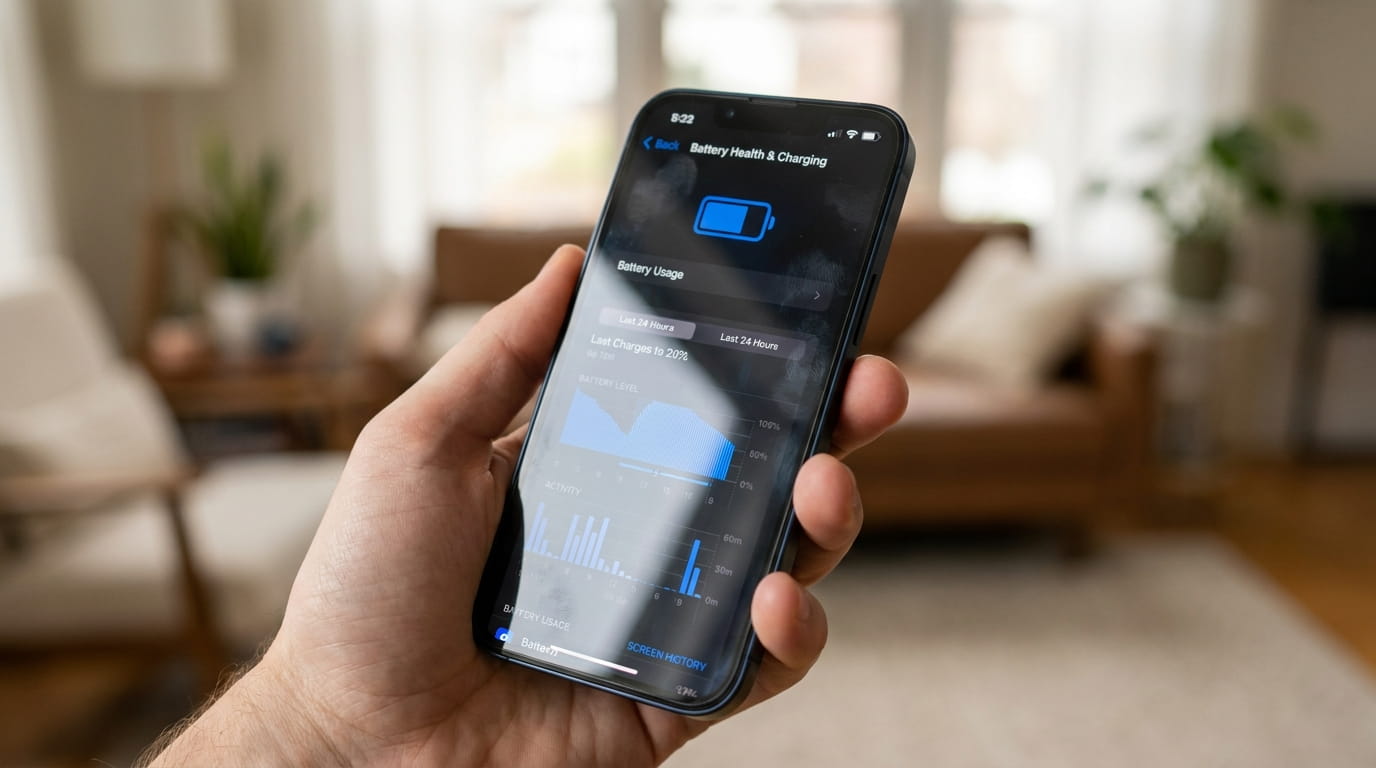
On iPhone, Settings > Battery > Battery Health & Charging shows Maximum Capacity as a percentage, and Apple treats 80 percent as the design threshold for a worn battery. Android is less consistent; some brands surface a battery health figure in settings and many do not.
If capacity is well below 80 percent and runtime is miserable, a replacement battery costs a small fraction of a new phone and makes an old device feel current again. It pairs well with a general tune-up, the same way a tired computer benefits from a cleanup before you replace it. Before handing any phone over for battery service, make sure your photos are properly backed up, since repairs occasionally require a wipe.
Batteries are consumables. The goal is not to keep one perfect forever; it is to stop doing the handful of things that wear it out faster, and to spend effort where the data says it counts.
Frequently asked questions
Should I let my phone drain to zero before charging?
No. Full discharges were good practice for nickel batteries decades ago, but lithium-ion cells prefer the opposite: short, frequent top-ups. Plugging in at 40 or 50 percent is completely fine, and regularly running to zero adds wear rather than preventing it.
Is it safe to leave a phone charging overnight?
On a modern phone, yes. Optimized charging features on both iOS and Android hold the battery at around 80 percent for most of the night and finish charging shortly before your usual wake time. The main thing to avoid is heat, such as charging under a pillow or in a thick case.
Does dark mode really save battery?
Only on OLED screens, where black pixels are switched off entirely. There the saving is real but modest, and it grows at higher brightness. On LCD screens the backlight stays on regardless of what is displayed, so dark mode changes essentially nothing.
How long should a phone battery last before replacement?
Apple rates iPhone 15-era batteries to hold 80 percent of capacity after 1,000 charge cycles, and earlier models after 500 cycles. In practice that is roughly two to four years of typical use before runtime degrades enough that a replacement battery becomes worth the money.
Sources & further reading
- Batteries: Maximizing Performance — Apple
- iPhone battery and performance — Apple Support
- Extend your Android phone's battery life — Google Help