 Expertspost
The case against reusing passwords stopped being hypothetical years ago. The breach-notification service Have I Been Pwned currently indexes more than 17 billion compromised accounts from over a thousand breached websites, and those leaked email-and-password pairs are systematically replayed against banks, email providers, and shops in attacks known as credential stuffing. If one password unlocks forty of your accounts, every one of those forty is only as secure as the least careful website on the list. A password manager exists to break exactly that chain.
The real problem is reuse, not weakness
Most password advice fixates on complexity, the capital letter and the exclamation point, but the structural danger is sharing one password across services. When a minor forum leaks its database, attackers do not care about the forum; they care that the same email-and-password combination probably opens your inbox, and the inbox can reset everything else.
The mechanics of the attack are worth understanding, because they explain why "my accounts aren't interesting" is no defense. Credential stuffing is automated: software takes millions of leaked email-and-password pairs and tries them against hundreds of major sites at machine speed, flagging every account where the lock turns. Nobody chose you; a script found that a password leaked from one site in 2019 still opens your streaming account, your loyalty points, or your inbox today. The victims are selected by reuse, not by importance.
The clever-sounding workaround of one base word with per-site variations does not survive contact with reality either: leaked passwords are analyzed in bulk, and simple patterns like appending a site name or a year are exactly what cracking tools try first. The only arrangement that contains a breach to the site that was breached is a different random password everywhere, and no human memorizes two hundred of those. That is the entire pitch: you remember one strong passphrase, and software remembers the rest.
What a password manager actually does
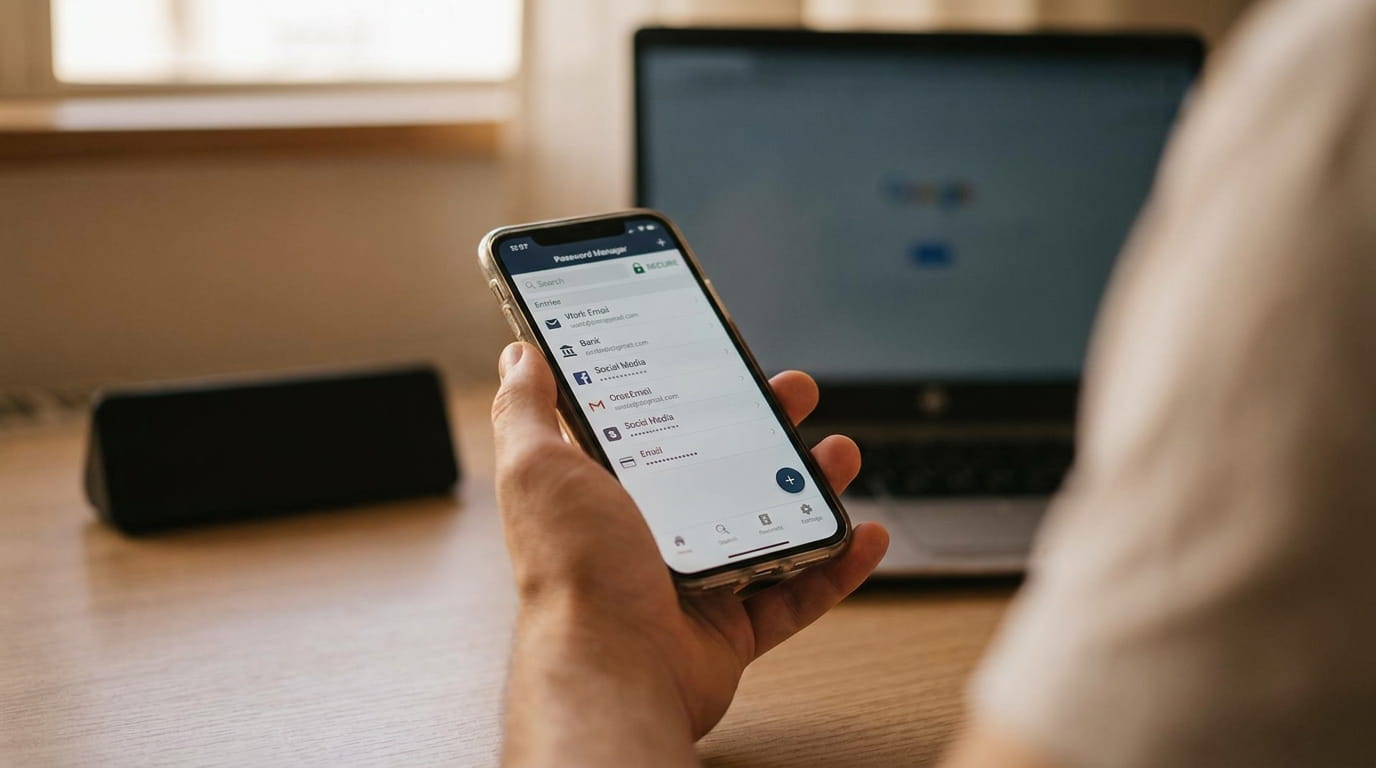
A password manager generates a long random password for every account, stores them in an encrypted vault, and fills them into login pages via a browser extension and phone app. In day-to-day use it is faster than typing: the app recognizes the page, you confirm with a fingerprint or face, and both fields fill themselves.
Beyond storage, the useful extras are easy to underrate. Managers audit the vault and flag reused or weak passwords, check entries against known breach datasets so you learn when a stored password has leaked, sync across phone and laptop, store more than logins (recovery codes, Wi-Fi passwords, license keys), and allow selective sharing, so a household can share the streaming logins without anyone seeing the rest of each other's vaults. One subtle security bonus: autofill matches against the real domain, so a manager will sit silent on a convincing lookalike phishing page, which is a useful tell that something is wrong. That interaction with phishing attempts is worth an article of its own.
Most paid tiers, and several free ones, can also generate the six-digit time-based codes used for two-factor authentication, filling them in alongside the password. Purists note that this keeps both factors in one vault, and for the highest-stakes accounts a separate authenticator app or hardware key is the stricter choice. For the long tail of ordinary accounts, though, manager-generated codes mean two-factor authentication actually gets enabled rather than skipped, and security features that get used beat stricter ones that do not.
What the security guidance says
This is not just enthusiast advice; it is what the standards bodies now recommend. The U.S. National Institute of Standards and Technology's digital identity guidelines, NIST SP 800-63B, mark a deliberate shift away from old password theater: they recommend against arbitrary composition rules (the mandatory symbol and number), recommend against forced periodic password changes unless there is evidence of compromise, and emphasize length, advising that systems should accept passwords of at least 64 characters. Length and uniqueness beat complexity rituals, and both are exactly what a manager automates.
The Cybersecurity and Infrastructure Security Agency goes further. CISA's Secure Our World guidance calls for passwords at least 16 characters long, random, and unique to each account, and explicitly names using a password manager as one of the four basic behaviors it asks of every person, alongside multi-factor authentication, phishing awareness, and software updates. Verizon's annual Data Breach Investigations Report has likewise ranked stolen credentials among the most common ways attackers get into organizations year after year, which is the corporate-scale echo of the same household problem.
The reasoning behind NIST's reversal on forced rotation is instructive. Decades of mandatory 90-day password changes taught users to make predictable incremental edits, the season, the year, an incremented digit, which attackers model trivially, while the policy did nothing against the actual threat of a freshly stolen password being used within hours. The guidance now reserves forced changes for evidence of compromise, and redirects the effort toward length, uniqueness, and screening passwords against known-breached lists, all three of which are jobs a manager performs automatically and a memory-based system cannot.
It is hard to find a mainstream security body that recommends memorizing variations of one password. The expert consensus moved; the folk advice has not caught up.
The 'all eggs in one basket' worry
The objection deserving a straight answer is that a vault concentrates risk: steal the vault, get everything. Two facts blunt it. First, reputable managers use end-to-end encryption keyed to your master password, which the company never sees; a stolen vault file is ciphertext, and the thief still has to crack your master passphrase to read anything. Second, the realistic alternative is not some safer arrangement; it is forty accounts sharing flimsy variations of one password, several of which have already leaked. The basket is a safe; the status quo is eggs scattered across porches.
It helps to be precise about what "encrypted" means here, because the detail is the reassurance. In the standard design, the vault is encrypted and decrypted only on your own devices, using a key derived from the master password through deliberately slow hashing that makes guessing expensive. The provider's servers store and sync the locked container without ever holding the key, which is why these systems are described as zero-knowledge: even a subpoena or a rogue employee cannot produce your passwords, only the ciphertext. The handful of real-world incidents involving password manager vendors have followed exactly this script, attackers obtaining encrypted vaults and then facing the brute-force wall of each user's master passphrase, which is precisely the wall a long passphrase makes impractical to climb.
Two rules keep the basket honest. Make the master password a long passphrase of several random words, used nowhere else, and turn on multi-factor authentication for the manager itself. CISA's guidance on enabling MFA cites research that accounts with it are dramatically less likely to be hijacked, which it summarizes as making you 99 percent less likely to be hacked. With those two in place, a stolen master password alone is no longer enough, and the single-point-of-failure scenario mostly evaporates.
How to pick one
The market has matured to the point where price is a poor differentiator: the free tiers of the serious products cover the core job completely, generation, storage, autofill, and sync, and the paid tiers, typically a few dollars a month, add conveniences like family sharing and integrated two-factor codes. Nobody needs to spend money to escape password reuse, which removes the last practical excuse. The honest summary of the field:
- Bitwarden is open-source with a genuinely usable free tier, which makes it the easy recommendation for skeptics: trying it costs nothing.
- 1Password is the polished, family-friendly option with the most refined apps, available by subscription only.
- The built-in options, Apple Passwords and Google Password Manager, are free, well integrated, and vastly better than reuse. Their trade-off is friction across ecosystems, so they suit people who live entirely on one platform.
Whichever you choose, a few selection criteria separate serious products from pretenders. Look for published third-party security audits, which the reputable vendors commission and publish regularly. Confirm the manager can export the full vault to a standard file, since that is your exit if the product deteriorates. Check that it covers every platform you actually use, the browser extension being the piece that does the daily work. And expect support for passkeys, the newer passwordless login standard that the major managers now store and sync alongside passwords, because the accounts you secure this year will increasingly offer them.
What to avoid is clearer: passwords in a notes file or spreadsheet are one basket with no lock, and a paper list is fine for the master passphrase but hopeless for two hundred random strings. The browser's bare "remember this password" prompt is a half-step; dedicated managers add generation, auditing, breach alerts, and cross-device sync, which is where the real value sits.
Switching without a bad week
The common failure mode is trying to convert every account in one sitting and burning out by account eight. The gradual route works better:
- Install the manager and create a strong master passphrase, several random words, used nowhere else. Write it on paper and store it somewhere safe at home; this is the one password that often cannot be recovered if forgotten.
- Turn on multi-factor authentication for the manager itself, and save the recovery codes it gives you with that piece of paper.
- Add the browser extension and phone app, and let them offer to save logins during a normal week of use.
- Upgrade the accounts that matter most first: email above all, since it can reset everything else, then banking and main shopping accounts.
- Let the long tail convert itself over a month as you naturally log into things, then run the built-in audit and fix the worst reused passwords it flags, a few at a time.
A few quality-of-life notes for the transition month. Expect the occasional site with a broken login form where autofill misses a field; pasting from the manager covers it. Households should look at family plans early, because secure sharing of the streaming and utility logins is the feature partners end up using daily, and it replaces the genuinely bad practice of texting passwords to each other. And resist the urge to delete the old memorized passwords from your head ceremonially; they simply fade, which is the system working.
The residual worries have workable answers. Vendor shutdown: reputable managers export the entire vault to a standard file that imports into a competitor, so there is no lock-in. Lockout: the paper backup of the master passphrase plus saved recovery codes covers it. Both risks are real but bounded, and they are far smaller than the near-certainty that another site you use will be breached this year. The trade on offer is one password to remember in exchange for containment when that happens, and it remains one of the best deals in personal technology.
Frequently asked questions
What happens if the password manager company itself is breached?
With a reputable manager, the company stores only an encrypted vault and never holds your master password, so attackers get ciphertext they must still crack. Your protection scales with master-passphrase strength, which is why a long random passphrase plus multi-factor authentication on the vault matters so much.
What if I forget my master password?
Many managers cannot reset it by design, since they never know it. The standard mitigations are writing the passphrase on paper stored safely at home, setting up the account's official recovery options when you enroll, and keeping the emergency recovery codes alongside. Do those once and lockout becomes a non-event.
Is the password manager built into my browser or phone enough?
Apple Passwords and Google Password Manager are solid and enormously better than reusing passwords, so yes for single-ecosystem users. Dedicated managers earn their keep when you mix platforms, want stronger auditing and breach alerts, or need to share specific logins within a household.
Do I still need two-factor authentication if my passwords are random?
Yes. Unique random passwords contain breaches, but they cannot stop a password stolen by phishing or malware from being used. A second factor blocks exactly that replay, which is why CISA pairs the two recommendations rather than treating either as sufficient alone.
Sources & further reading
- NIST SP 800-63B: Digital Identity Guidelines — Authentication — NIST
- Use Strong Passwords — CISA
- Turn On MFA — CISA
- Have I Been Pwned — Have I Been Pwned
- Data Breach Investigations Report — Verizon