 Expertspost
The smart home business model has quietly shifted: hardware is sold cheap, and the recurring money is made on monthly fees for features that used to be included in the box. It is entirely possible to assemble a capable smart home, automated lighting, voice control, cameras, climate, that costs nothing to run after purchase, but it requires knowing where the fees hide before buying rather than after.
Where the subscriptions hide
Three places account for most of the recurring charges. Cloud video storage for cameras is the largest: live view is free, but recorded history sits behind a plan. "Premium" automation features, like advanced schedules or multi-user profiles, get carved out of otherwise free apps. And AI-flavored alerts, person detection, package detection, are sold monthly even when the camera hardware does the work.
If a device cannot do its core job without a monthly fee, it is not a smart device. It is a rental.
The frustrating part is that many of these functions run perfectly well locally, on hardware you own. The subscription is a business decision, not a technical necessity, and once you know that, you can route around almost all of it.
The free wins worth starting with
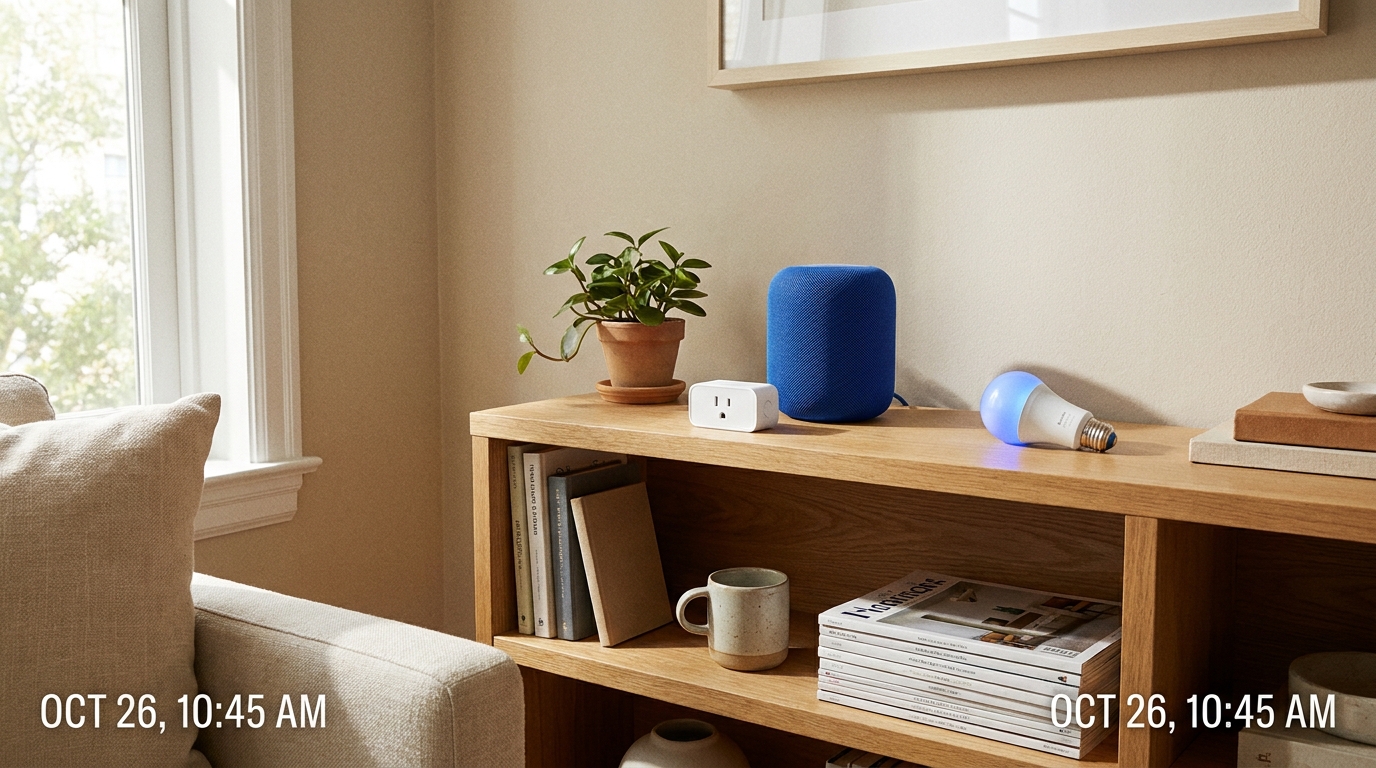
- Smart plugs. The best value in the category at five to fifteen dollars each: any lamp, fan, or coffee maker becomes schedulable and voice-controllable, with no fees attached.
- Smart bulbs. Sunset schedules and evening dimming run free through the manufacturer apps of most major bulb brands.
- A smart thermostat. Higher up-front cost, no subscription for core scheduling, and a genuine payback case: the ENERGY STAR program notes that heating and cooling consume almost half of a typical household's annual energy bill, more than $900 a year, which is the bill a learning thermostat chips away at. It pairs naturally with the other fixes in our guide to lowering a home energy bill.
- A smart speaker you may already own. An Echo or Nest speaker runs voice control and routines, like a single "goodnight" command shutting the house down, at no added cost.
Plugs and bulbs on schedules cover most of what people actually want from a smart home. Beyond them, contact sensors that announce an opened door, smart locks whose code-based entry is free at the core, and robot vacuums running local schedules all follow the same pattern: the essential function costs nothing monthly, and the subscription covers extras that are easy to live without.
Cameras: the biggest subscription trap
Many popular cameras give you a live feed for free and lock all recorded history behind a plan, so missing the moment means the footage simply never existed for you. The fix is choosing cameras that support local storage: a microSD card slot in the camera, or better, a small base station or hub that records to storage in your home. Several established brands advertise subscription-free local recording as a selling point, and a one-time memory card purchase replaces a permanent monthly fee.
The honest trade-off: cloud plans do add off-site backup of clips, so a stolen camera cannot take its own evidence with it, plus convenient remote browsing. A base-station system with onboard storage answers most of that for a one-time cost, surviving the loss of any single camera while keeping footage in the house. For a camera that is genuinely load-bearing home security, a small cloud plan is a defensible exception; for the porch and the puppy cam, local storage covers it.
The arithmetic is what makes this the trap worth the most attention. Camera cloud plans commonly run several dollars per camera per month, so a modest three-camera setup can quietly cost more per year than the cameras did, every year, indefinitely. A base station with storage costs more on day one and reaches break-even within a year or two, after which the footage is simply yours.
Going local-first
The deeper principle is preferring devices that work on your own network rather than routing every command through a manufacturer's cloud. Local control responds faster, keeps working when the internet drops, keeps data in the house, and, crucially, cannot have a fee bolted onto it later. The industry has been moving this way: the Matter standard, backed by the major platform vendors through the Connectivity Standards Alliance, is built around devices from different brands working together over reliable local connections, so a Matter logo on the box is a reasonable proxy for "will not strand me in one company's app."
For those who catch the bug, Home Assistant is the open-source endpoint of this philosophy: a free hub, run on hardware in your home such as a Raspberry Pi, that ties together devices from over a thousand brands with powerful automations and explicitly keeps data local. It has a real learning curve, so it is a second-year project, not a starting point, but it demonstrates that nothing about a capable smart home requires anyone's cloud.
Two buying habits keep you out of trouble. Before purchasing anything, search the model name plus "subscription" and read what is actually free versus paid, because manufacturers are rarely upfront about which features expire without a plan. And treat security basics as part of the hobby: the FTC's guidance on securing internet-connected home devices comes down to changing default passwords and keeping device software updated, and a router-level guest network keeps the chattier gadgets isolated from your laptops, one of several router settings worth changing on day one.
A no-subscription starter kit
- Two or three smart plugs for lamps and the coffee maker: immediate, obvious daily payoff.
- Smart bulbs in the rooms where automated lighting matters most, on a sunset schedule.
- A smart speaker, likely already owned, running a couple of routines like "goodnight."
- If wanted, a camera with local recording and the memory card to match.
- Later, a smart thermostat for comfort plus the energy payback.
That kit covers lighting, voice control, basic security, and climate, and the only money it ever asks for is the purchase price. Two automations deliver most of the daily value and take minutes to set up: lights on a sunset schedule so the house never sits dark, and a single "goodnight" routine that switches everything off at once. Resist buying gadgets in search of a problem; the pattern that works is noticing a recurring annoyance first, then buying the one device that removes it.
The industry would prefer every device became a small monthly bill. Five minutes of fine-print reading per purchase keeps nearly all of the convenience and none of the rent.
Sources & further reading
- Smart Thermostats — ENERGY STAR
- Matter: The Foundation for Connected Things — Connectivity Standards Alliance
- Home Assistant — Open Home Foundation
- Securing Your Internet-Connected Devices at Home — Federal Trade Commission